

CF-Device builds 12.1″ vehicle-mount terminals that run CF ISOBUS VT, and the first thing we tell farmers and machinery builders shopping for a tractor tablet is that the label hides three different jobs: a screen that runs the implement’s own interface (ISOBUS Universal Terminal), a computer that manages prescriptions and section control (Task Controller), and a guidance display that steers. Some products do all three, some do one. This list compares eight options on published numbers so the choice is made on what each unit states, not on the name on the box.
TL;DR
- Decide which job the terminal does first: implement interface (UT), prescriptions and section control (TC), or guidance — products differ on all three
- Trimble, Topcon, Raven and Ag Leader are established agricultural display makers with deep software ecosystems
- CF-Device’s 12.1″ VCM terminals are rated IP65 to IP67, tested to MIL-STD-810 and run −30°C to +70°C; input is 5–36V DC on the V12 PRO and 9–36V DC on the V12 and V12-2
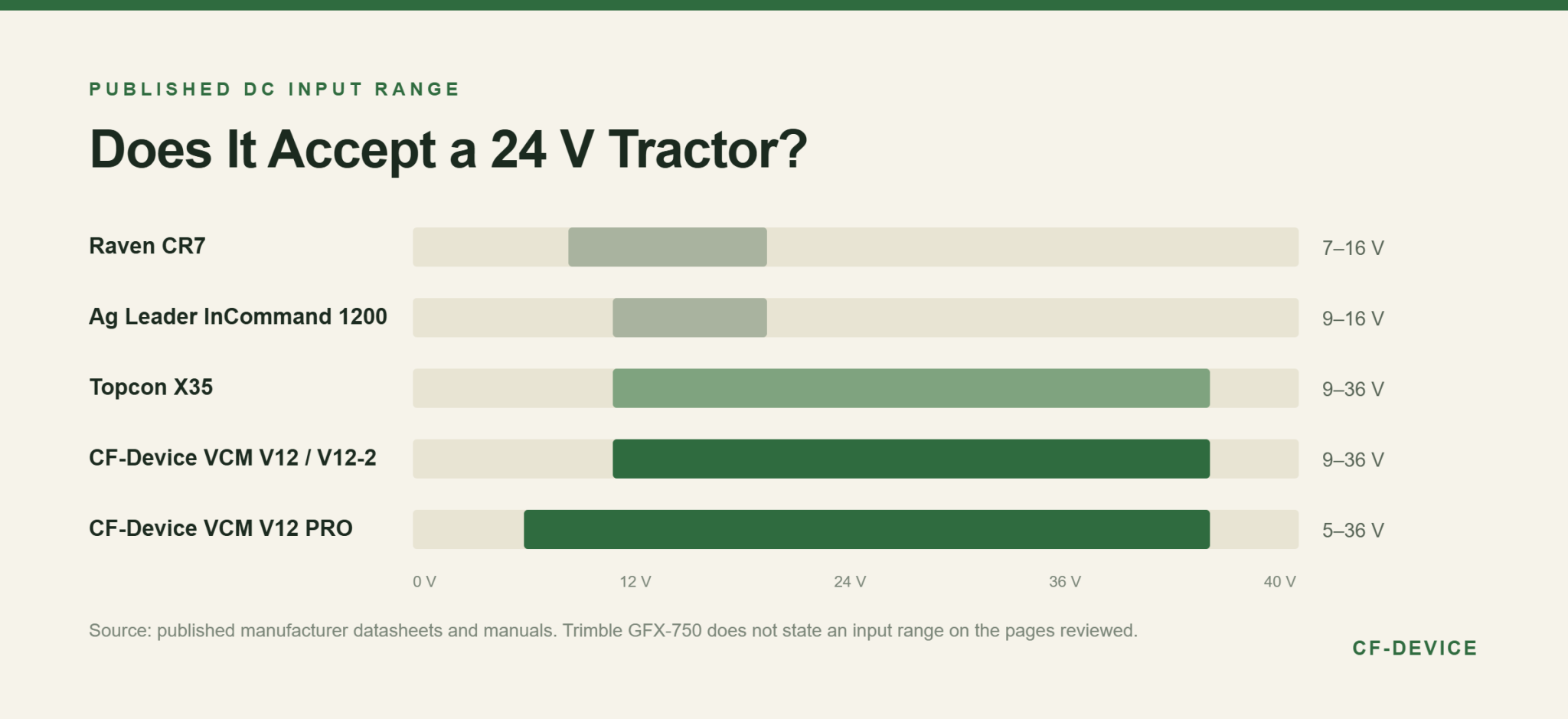
- Several agricultural displays publish a 12 V-class input range (7–16V or 9–16V), which matters if the tractor runs 24 V
- Specifications below come from published datasheets and manuals and vary by configuration — confirm against the current sheet before ordering
Which Tablets Are on This List?
- CF-Device VCM V12 PRO — 12.1″ terminal, IP67
- Trimble GFX-750 — 10.1″ Android display
- Topcon X35 — 12.1″ ISOBUS console
- Raven CR7 — 7″ field computer
- CF-Device VCM V12 — 12.1″ terminal with supercapacitor
- Ag Leader InCommand 1200 — planting and application display
- CF-Device VCM V12-2 — 12″ terminal, CAN FD and 5G
- A consumer tablet on a mount — the baseline
What Should a Tractor Tablet State on Its Datasheet?
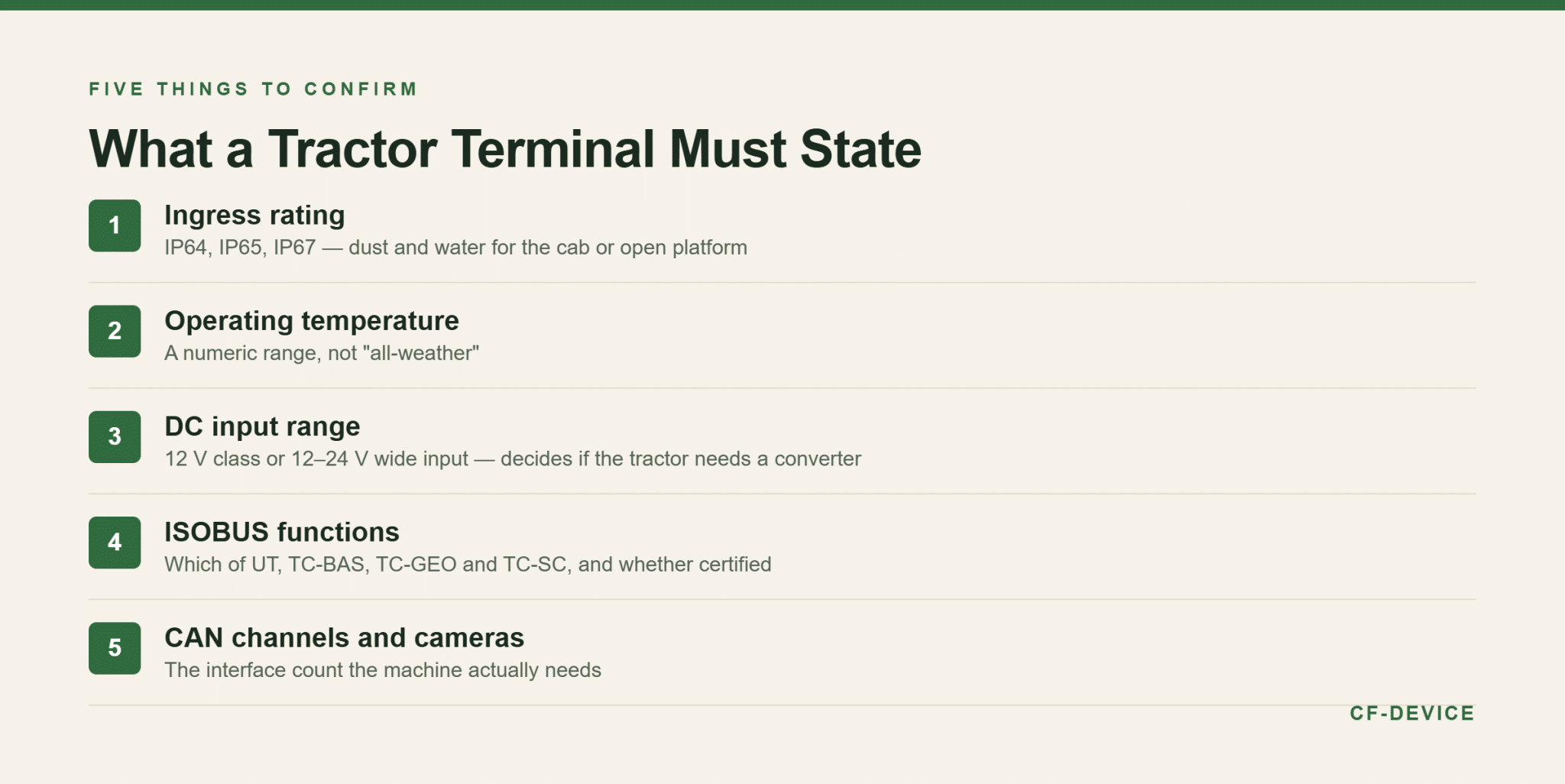
CF-Device checks five things, because the word “rugged” is unregulated and screen size alone says nothing: the ingress rating, the operating temperature range, the DC input range the unit accepts, which ISOBUS functions it supports (UT, TC, or both), and how many CAN channels and camera inputs it has. A vendor that cannot state them is describing a tablet, not a terminal. The wider reasoning is in our rugged vehicle tablet hardware buyer’s guide.
1. CF-Device VCM V12 PRO
Category: 12.1″, 1280×800, 750 cd/m²
What it does well: the interface-heavy option: up to four CAN channels that can run alongside gigabit Ethernet, and up to six 1080P or eight 720P AHD camera inputs from two decoder groups (they cannot be mixed freely). It carries 2 GB RAM expandable to 8 GB, a 0.8 TOPS NPU, 5G option, four ADC inputs and supports CF ISOBUS VT and CF AVM 360°. Input is 5–36V DC with ignition detection, rated IP67, operating −30°C to +70°C. It measures 317.8×219.6×34.5 mm at 1.73 kg.
Where CF-Device differs: it is a general vehicle terminal rather than a farm-specific guidance display, so guidance and steering come from the application and positioning hardware paired with it. Its 750 cd/m² is lower than the 850 and 900 cd/m² panels below.
2. Trimble GFX-750
Category: 10.1″, 1280×800, 900 cd/m²
What it does well: the strength is the ecosystem. It is Android-based, runs Precision-IQ, syncs guidance lines, boundaries and implements between devices through AutoSync, and offers optional ISOBUS Task Controller and Universal Terminal. It has a quad-core i.MX6 PLUS at 1 GHz, 16 GB storage and 1 GB RAM, one integrated camera plus one external, and the brightest panel on this list.
Where CF-Device differs: it has no internal GNSS, so a separate roof-mounted guidance controller is part of the system. Ingress rating, operating temperature and input voltage were not stated on the datasheet pages reviewed.
3. Topcon X35
Category: 12.1″ console, Horizon software
What it does well: broad ISOBUS coverage: it lists UT, TC-BAS, TC-GEO and TC-SC, section control up to 200 sections and variable-rate control for up to eight products. Published specifications include a dual-core i.MX6 at 850 MHz, 1 GB RAM, 4 GB SSD, four CAN interfaces, 9–36 VDC input, immunity to ISO 7637-2 and ISO 16750-2, and an operating range of −25°C to +65°C in the brochure.
Where CF-Device differs: the X35 is an agricultural console tied to Topcon’s software and unlock model. Its temperature range is narrower than CF-Device’s, and an ingress rating was not stated on the pages reviewed.
4. Raven CR7
Category: 7″ field computer, 480×800, 850 cd/m²
What it does well: the lightest and lowest-cost display here at 0.64 kg: IP65, −20°C to +70°C, two CAN channels, three serial, USB, Ethernet, Wi-Fi and Bluetooth, with ISO Universal Terminal and Task Controller and Slingshot for file transfer and OTA updates. Raven now sells the CR7+ as the replacement, with more memory and a faster processor.
Where CF-Device differs: input is published as 7–16 VDC, a 12 V-class range, so a 24 V machine needs a converter. At 7″ it also leaves little screen for an implement interface plus guidance side by side.
5. CF-Device VCM V12
Category: 12.1″, 1280×800, 750 cd/m²
What it does well: the farm-specific configuration: it supports CF ISOBUS VT, has a built-in supercapacitor for orderly shutdown after power loss (unique in the CF-Device range), an ambient light sensor, a metal housing and three 12 V outputs. Input is 9–36V DC with ignition detection, IP65, −30°C to +70°C.
Where CF-Device differs: it has one CAN channel and two camera inputs, so it suits a single-implement cab rather than a multi-bus machine. At 2.85 kg and 320×252×45.3 mm it is the heaviest unit in the range and needs a mount to match.
6. Ag Leader InCommand 1200
Category: Planting and application display
What it does well: built around planter control, application control, yield monitoring and built-in guidance, with ISOBUS UT and TC and a light sensor for night dimming. The user guide publishes −20°C to +70°C operating, −30°C to +80°C storage, 9–16 V DC input and IP64.
Where CF-Device differs: input is 12 V class and ingress is IP64 against IP65 to IP67 on the CF-Device units. Screen size was not stated in the manual pages reviewed, so it is left out here.
7. CF-Device VCM V12-2
Category: 12″, 1280×800, 750 nits or above
What it does well: built for connectivity: three CAN channels (two classic and one CAN FD) with SocketCAN, up to four AHD cameras, USB 3.0, gigabit Ethernet and a 5G module. It has undervoltage, overvoltage and reverse-polarity protection, 9–36V DC input, IP67 and −30°C to +70°C, at 317.8×219.6×34.5 mm and 1.75 kg.
Where CF-Device differs: harness pin definitions for this model are still being confirmed, so a harness should not be assumed interchangeable with another VCM unit without checking. Supply is 9–36V, not 5–36V.
8. A Consumer Tablet on a Mount
Category: Consumer tablet · included because it appears in real farms, usually before a first ISOBUS purchase.
What it does well: price and familiarity, and it can show a map or a camera feed. Where CF-Device differs: it states no ingress rating, no vibration standard and no vehicle DC input, and it has no CAN, so it cannot act as an ISOBUS terminal at all. Dust, heat and a tractor’s voltage swings shorten its life; the failure pattern is covered in industrial vs consumer 10-inch Android tablets.
How Do the Numbers Compare?
| Model | Screen | Ingress | Operating temp | DC input |
|---|---|---|---|---|
| VCM V12 PRO | 12.1″ | IP67 | −30 to +70°C | 5–36V |
| Trimble GFX-750 | 10.1″ | Not stated | Not stated | Not stated |
| Topcon X35 | 12.1″ | Not stated | −25 to +65°C | 9–36V |
| Raven CR7 | 7″ | IP65 | −20 to +70°C | 7–16V |
| VCM V12 | 12.1″ | IP65 | −30 to +70°C | 9–36V |
| Ag Leader InCommand 1200 | Not stated | IP64 | −20 to +70°C | 9–16V |
| VCM V12-2 | 12″ | IP67 | −30 to +70°C | 9–36V |
| Consumer tablet | Varies | Not stated | Not stated | USB 5V |
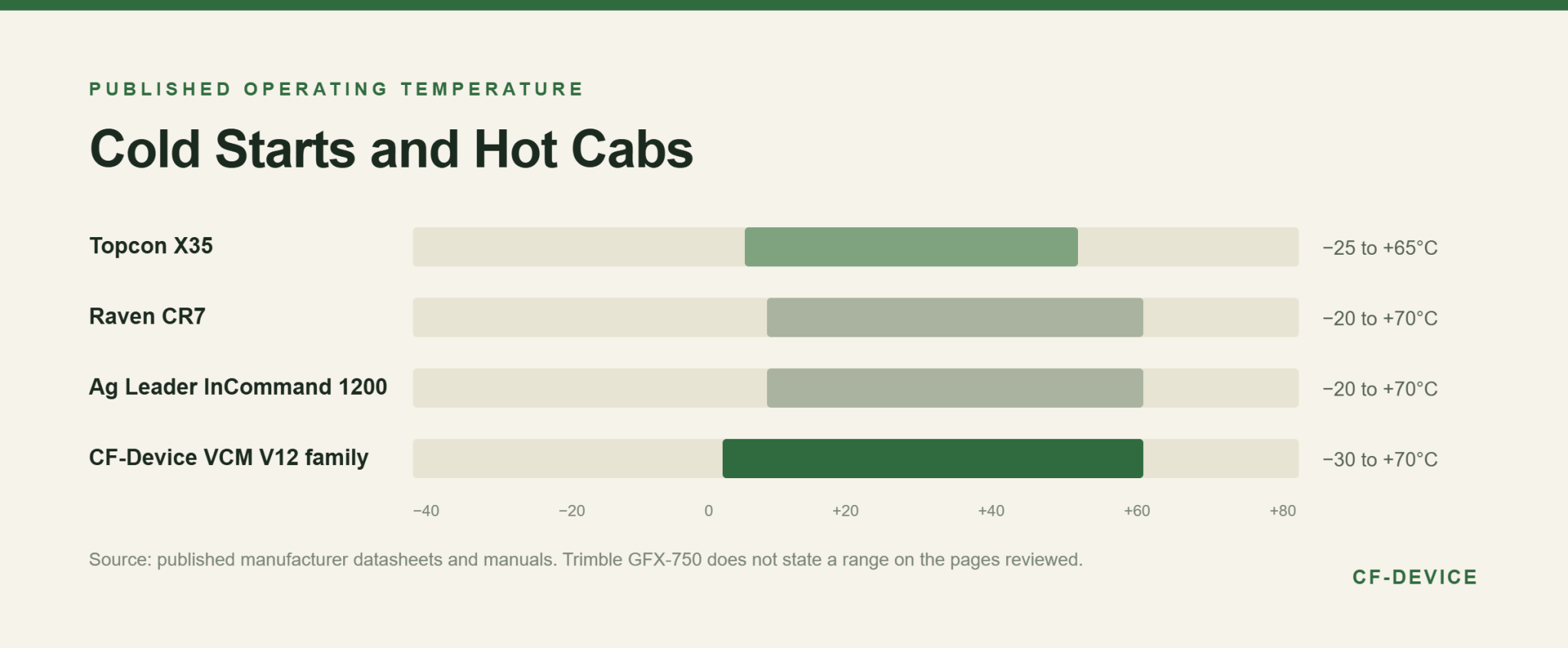
The table reads one way: the established agricultural displays win on software ecosystems and, in Trimble’s and Raven’s case, on panel brightness, while the CF-Device units win on the environmental and input-voltage numbers. Which matters more depends on the cab, not on the brand.
Is a Tractor Terminal the Same as a Guidance Display?
No. A guidance display steers or helps steer the tractor along a line and needs a positioning source. An ISOBUS terminal runs the implement’s interface and, with a Task Controller, handles prescriptions and section control. Several products here do both, but a terminal bought for implement control will not steer a tractor on its own. How accuracy tiers map to farm jobs is set out in GPS for agricultural tractors: guidance accuracy, and the standard behind the terminal side in what ISOBUS VT is and why it matters for mixed fleets.
Where Do Blockage and Yield Monitors Fit?
Seeder blockage monitors and combine yield monitors are sensor systems, not terminals: the sensors sit on the implement and report to a display. That display is often an ISOBUS terminal, which is why they appear next to the units above. CF-Device supplies the terminal side; the sensors come from the implement or monitoring vendor, and whether a given sensor system runs on a given terminal should be confirmed with that vendor before purchase.
How Should a Farm Choose?
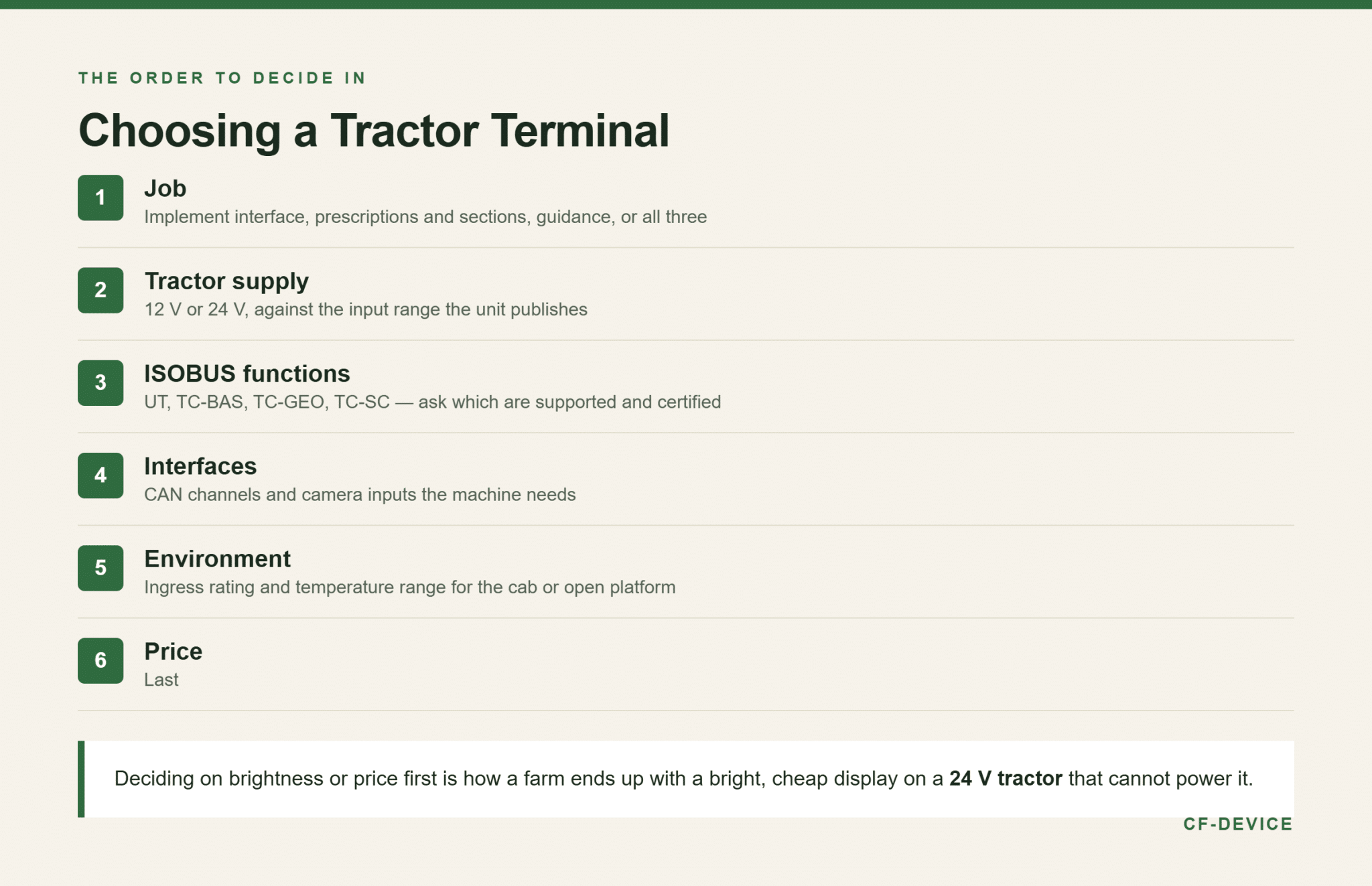
- Job — implement interface, prescriptions and section control, guidance, or all three
- Tractor supply — 12 V or 24 V, and the input range the unit publishes
- ISOBUS functions — ask which of UT, TC-BAS, TC-GEO and TC-SC are supported and certified
- Interfaces — CAN channels and camera inputs the machine actually needs
- Environment — ingress and temperature range for the cab or open platform
- Price — last
Working in this order avoids buying a bright, cheap display and discovering the tractor supplies 24 V. The platform-level view for mixed fleets is in the precision agriculture and fleet tracking applications hub, and remote management of the terminals once deployed in MDM remote device management.
Frequently Asked Questions
What is the best tablet for a tractor?
One that states its ISOBUS functions and its environmental numbers, and that matches the job: an implement terminal, a guidance display, or both. A consumer tablet cannot act as an ISOBUS terminal because it has no CAN interface.
Can a tablet replace a tractor display?
Only if it has CAN and runs an ISOBUS Universal Terminal application. A tablet without those can show a map, but it cannot run an implement’s interface.
Which CF-Device model suits a tractor?
The VCM V12 for a single-implement cab with one CAN channel, the VCM V12 PRO where several buses or many cameras are involved, and the VCM V12-2 where CAN FD and 5G matter. All run −30°C to +70°C; check the input range per model, since it is 5–36V on the V12 PRO and 9–36V on the V12 and V12-2.
Interested in specs or a quote? Contact our team to discuss tractor terminals for your machines.