
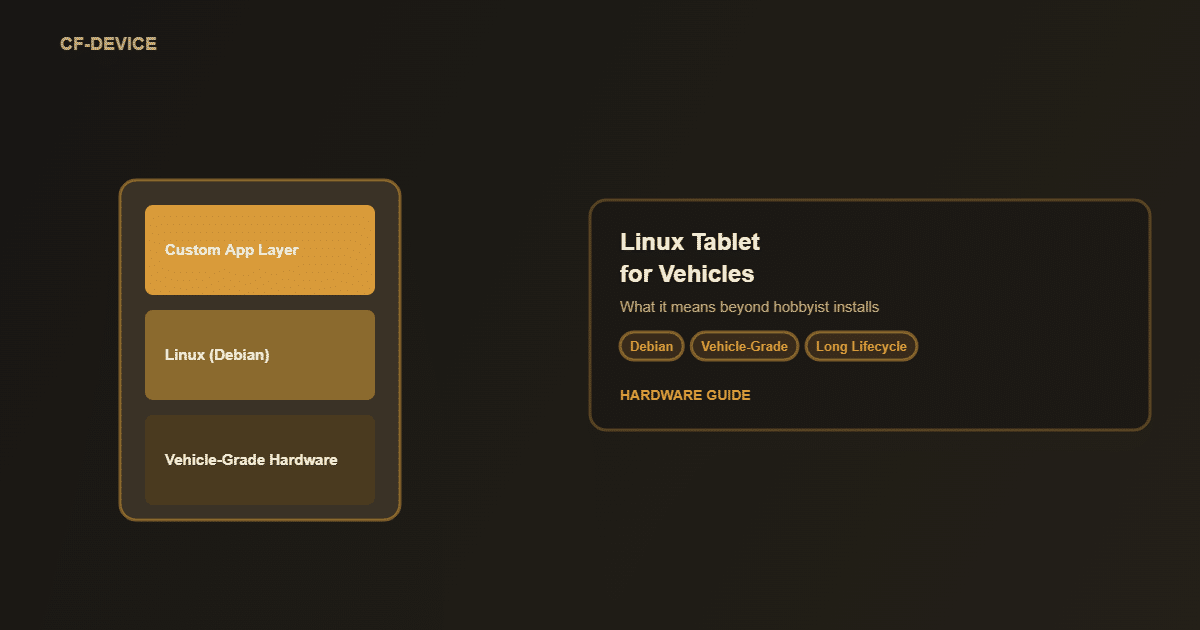
CF-Device ships embedded Linux on most of its 10.1″ VCM terminals alongside Android, which puts it in a category the search term “Linux tablet” barely describes. Searching “linux tablet” turns up a mix of consumer hobbyist projects, old Nexus 7 mod guides and enterprise hardware: three very different things sharing one search term. For a fleet or OEM buyer only one of those is relevant, a linux tablet built as vehicle-grade hardware rather than a consumer device with an operating system swapped on.
TL;DR
- “Linux tablet” searches span three unrelated categories: hobbyist mods, generic Linux-on-tablet installs, and industrial vehicle hardware
- A vehicle-grade Linux tablet ships with Linux as the manufacturer-supported OS, not user-installed afterward
- Industrial deployments choose Linux for stability, custom software control and long-term version pinning, not novelty
- The hardware environment (ruggedness, power, interfaces) matters as much as the OS choice itself
- Linux versions differ by model, so check the kernel for the specific unit
The Three Things People Mean by “Linux Tablet”
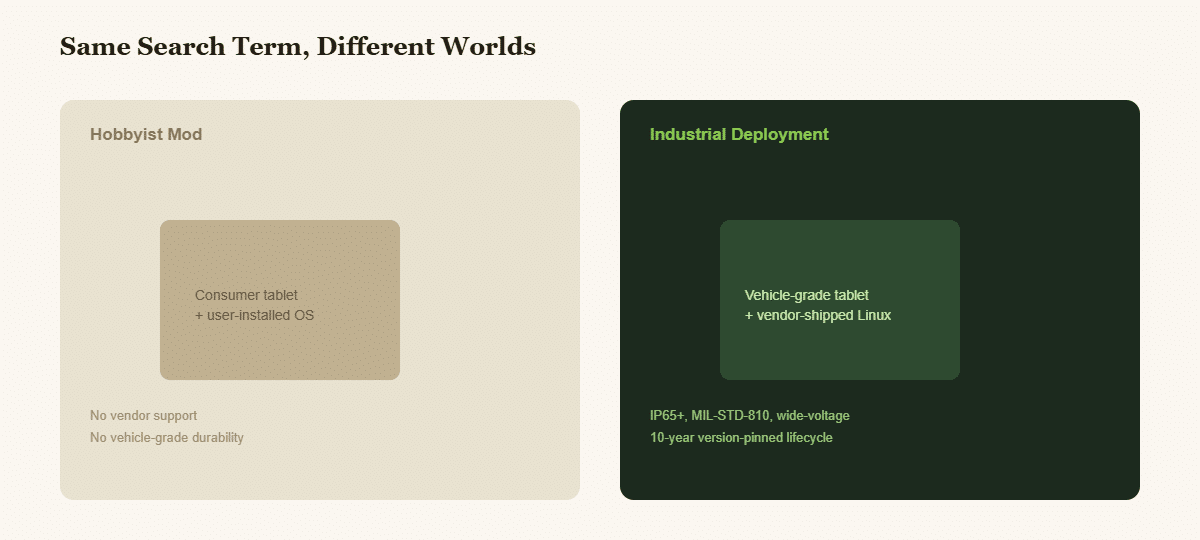
- Hobbyist installs — running Linux on unsupported consumer hardware (old Nexus tablets, repurposed devices) as a DIY project. No vendor support, no vehicle-grade durability, not relevant to fleet or OEM deployment.
- Generic Linux tablet software discussions — comparing distros, desktop environments or “tablet mode” behaviour on consumer devices.
- Industrial and vehicle-grade Linux tablets — purpose-built hardware where Linux (commonly Debian-based, which is what a Debian Linux tablet search usually means) is the manufacturer-supported, pre-installed operating system, designed for long-term deployment in vehicles and machinery.
Only the third category matters for a fleet, OEM or system integrator evaluating hardware.
Why Industrial Buyers Choose a Linux Tablet Over Android
| Reason | Why It Matters |
|---|---|
| Full stack control | Direct access to hardware and OS-level configuration for custom applications |
| Version stability | A pinned Linux version does not force unwanted updates that break custom software |
| Long lifecycle | Machinery deployments run 5–10+ years; a pinned Linux build can be held steady for that period |
| Custom toolchains | Qt and native development suit OEM machine-control software better than app-store-oriented Android |
This is the same distinction covered in more depth in our 10-inch rugged Android tablet vs. Debian Linux tablet guide: Android suits app-driven fleet dispatch, Linux suits OEM machine-control software that needs to run unchanged for a decade. The same decision connects to why rugged vehicle tablets offer both Android and Linux in the first place.
Buying a Tablet With Linux, or Putting Linux on a Tablet?
CF-Device gets both enquiries and they are not the same project. Searches for linux for tablets, linux on tablet and tablet linux os mostly come from people who own a consumer device and want to replace what is on it. Searches for a linux tablet computer or a tablet with linux operating system usually come from someone who needs to buy a finished unit that already runs it. The distinction decides everything that follows.
| Putting Linux on a consumer tablet | Buying a Linux tablet computer | |
|---|---|---|
| Drivers | Reverse-engineered, often incomplete | Written and maintained by the maker |
| Touch, sleep, radios | Frequently broken after flashing | Validated as shipped |
| Kernel updates | Community, unpredictable | Maintained by the vendor |
| Warranty | Void | Intact |
| CAN bus, serial, wide-voltage | Not present at any price | Native on vehicle-grade units |
| Right for | A personal project | A fleet or a product |
The reason flashing rarely ends well is not the operating system. Consumer hardware ships with vendor blobs for the touch controller, the modem and the power management, and those blobs are Android-only. What survives the flash is a working desktop; what does not is everything that made the device usable in a vehicle. CF-Device ships Linux on hardware it designed for it, so a rugged linux tablet in this sense is not a converted device at all.
In short: if the goal is to run Linux, flash a spare device. If the goal is a machine that still works in four years, buy one that shipped with it.
Which Linux Version Does Each Model Ship?
CF-Device maintains its own Linux builds, and the version depends on the model:
| Model | Linux kernel |
|---|---|
| VCM M10 | 6.1 |
| VCM V10-2, S10-2 PLUS, S10-2 PRO | 5.10 |
| VCM S10-2 | 3.10 |
| VCM V10 PRO | Android only |
Confirm the exact Debian release and kernel for your model with CF-Device before you specify it. The version-by-model table for the 10.1″ range, with Android versions, is in Dual Android/Linux Architecture.
What Makes a Linux Tablet “Vehicle-Grade”
Running Linux is only half the requirement. A rugged Linux tablet for a vehicle also needs:
- IP65 or higher sealing against dust and moisture (IP67 on selected models)
- MIL-STD-810 testing for vibration and shock
- Wide-voltage DC input (5–36V or 9–36V depending on the model) to run cleanly off vehicle electrical systems
- CAN bus and industrial interfaces (RS232/485, Ethernet) for machine integration
- −30°C to +70°C operating range for outdoor and equipment-bay deployment
A consumer tablet running Linux has none of this: it is the hardware environment, not just the OS, that defines an industrial Linux tablet. For a comparison of Debian versus Mint-style builds in industrial deployment, see our Linux distro guide for industrial vehicle tablets, and for the x86 vs ARM question behind this class of hardware, see Debian Tablet PC: Industrial vs Consumer Hardware.
A Deployment Example
Consider an agricultural machinery OEM building auto-steer control software that has to run unchanged for the ten-year service life of a tractor line. Android’s regular OS updates and app-store dependencies do not fit that requirement, because the OEM needs to freeze a known software configuration and leave it alone unless it chooses otherwise. A vehicle-grade Linux tablet running a version-pinned Debian-based build with direct hardware access gives that: control software that ships once and keeps running without forced updates touching the control loop, the same precision-agriculture profile covered in our smart agriculture terminal guide. This is an illustrative scenario rather than a customer case study.
Other Names for the Same Question
Searches for a linux os tablet, linux tablets and tablets with linux all lead to the same fork: a device to flash for a personal project, or a finished vehicle terminal that ships with Linux supported by the maker.
Which Linux Guide Should I Read Next?
This guide belongs to the rugged tablet hardware hub. Pick the next one by the question you still have open:
| If your question is… | Read |
|---|---|
| What does “tablet debian” mean? | Tablet Debian: Debian-based rugged vehicle tablets |
| What about a Debian tablet PC and x86 vs ARM? | Debian tablet PC: industrial vs consumer |
| Which distribution: Debian or Mint? | Debian vs Mint for vehicle tablets |
| How do both operating systems share one platform? | Dual Android/Linux architecture |
| Why not a consumer tablet? | 10 inch Android tablet: industrial vs consumer |
| Which 10-inch model? | Best 10-inch rugged Android tablets |
Common Questions
Can one terminal be both an Android tablet and a Linux tablet?
On most CF-Device 10.1″ models, yes in the sense that both operating systems are available on the same hardware, so a fleet can standardise on one part number and put Android in the cabs that need an app ecosystem and Linux in the machines that need direct hardware control. The operating system is chosen for each device and changed later by reflashing on supported models; the two do not run at the same time, and the V10 PRO is Android only.
Can I just install Linux on a regular consumer tablet for vehicle use?
Technically possible, but you lose vehicle-grade sealing, shock resistance, wide-voltage power input and CAN bus connectivity. The OS is the easy part; the hardware environment is what actually fails in vehicle conditions.
Is Debian the only Linux option for industrial tablets?
It is a common choice for industrial vehicle terminals because of its stability and long-term support model, but the principle (vendor-supported, version-pinned Linux) matters more than the specific distribution.
Does a Linux tablet cost more than an Android equivalent?
The OS choice does not drive hardware cost; the certification tier and interface set do. Ask for a quote per configuration.
For the full specification sequence (screen size, OS choice, positioning tier and interfaces), see our rugged vehicle tablet hardware buyer's guide.
Interested in specs or a quote? Contact our team to discuss Linux configurations for your vehicle fleet.