
CF ISOBUS VT, TC & SDK for Vehicle Terminals
An ISOBUS terminal replaces multiple brand-specific implement control boxes with one rugged in-cab display. Every current CF-Device VCM tablet (7″–12.1″) and the screenless TANK V2 supports CF ISOBUS VT, while machinery builders can integrate our cross-platform CF ISOBUS SDK for VT, Task Controller and auxiliary control.
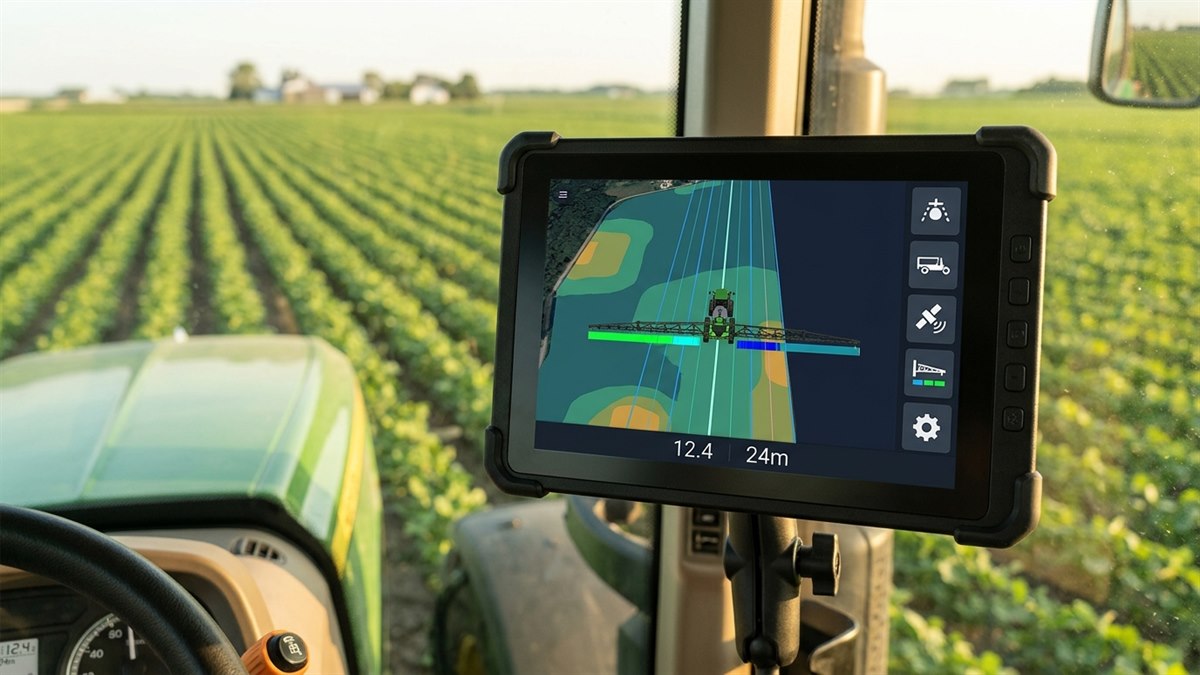
What the CF ISOBUS Stack Covers
Mixed agricultural fleets often pull seeders, sprayers, spreaders and balers from different manufacturers behind the same tractor. CF-Device delivers the ISO 11783 software stack directly on rugged vehicle-mount hardware with native CAN bus interfaces.
CF ISOBUS VT (Universal Terminal)
Loads each ISOBUS-compatible implement’s own operator object pool onto one sunlight-readable screen. Supported across all 15 current VCM and TANK V2 models so operators control implements from different brands on a single display.
CF ISOBUS TC (Task Controller)
Covers TC-BAS (total logging), TC-SC (automatic section control to cut overlap) and TC-GEO (prescription map rate control) with ISO-XML task export for farm management software.
AUX-N, ISB & CAN Logging
Supports auxiliary control inputs (AUX-N joysticks and switch banks), ISOBUS Shortcut Button (ISB) stop commands, GNSS positioning hooks and raw CAN frame logging for field troubleshooting.
CF ISOBUS VT/TC Suite
Available as a turnkey VT + TC application bundle on CF-Device hardware for machinery dealers and fleet operators who want a ready-to-deploy tractor terminal without writing ISO 11783 protocol code.
CF ISOBUS SDK Architecture for OEMs
For tractor, sprayer and precision-agriculture OEMs building their own branded cab UI, the CF ISOBUS SDK provides a single core protocol engine with clean language bindings and layered English/Chinese documentation:
- One core across three operating systems: Android (AOSP), Debian-based Linux and custom HarmonyOS builds.
- Three developer bindings: C++17 (pure C++ headers), Java and QML, spanning VT, TC, AUX, GPS, Map/Rate Presentation, Events and ISOBUS bus layers.
- Six-layer engineering manual & demos: Overview, quickstart, task guides, API reference, appendix dictionary and cross-cutting index plus sample demo packages in our authenticated developer portal.
- Field compatibility & test guidance: Validated with mainstream agricultural controllers and implements; CF-Device provides engineering guidance for teams preparing AEF conformance testing.

Recommended CF-Device Hardware for ISOBUS Deployments
All 15 current CF-Device models support CF ISOBUS VT. Select hardware based on cab mounting space, required CAN channel count (tractor J1939 + implement ISOBUS + steering), GNSS accuracy and ingress protection:
| Model | Display & Sealing | CAN & Power | Best Fit for Agriculture |
|---|---|---|---|
| VCM V12 PRO | 12.1″ · IP67 | Up to 4 SocketCAN · 5–36V DC | Large tractors & sprayers running VT + RTK guidance + up to 8 AHD cameras |
| VCM V12-2 | 12″ · IP67 | 3 CAN (incl. CAN FD) · 9–36V DC | ISOBUS terminals needing CAN FD, 5G connectivity and harsh wash-down sealing |
| VCM V12 | 12.1″ · IP65 | 1–2 CAN · 9–36V DC | Single-implement cabs needing an aluminum rear housing and built-in supercapacitor |
| VCM S10-2 PLUS | 10.1″ · IP65 | Up to 4 CAN · 5–36V DC | RTK guidance with optional built-in radio (Harxon 1018D) & up to 8 AHD cameras |
| VCM M12 | 10.1″ · IP65 | 2 CAN · 5–36V DC | Precision farming cabs combining ISOBUS VT, 12 TOPS AI vision, 8 AHD & optional UM982 RTK |
| VCM V7-2 | 7″ · IP65 (IP67 opt.) | 3 CAN (incl. CAN FD) · 5–36V DC | Compact orchard and vineyard tractors with limited cab mounting space |
| TANK V2 | Screenless · IP65 | 2 CAN + 2 CAN FD · 5–36V DC | OEM machinery cabs that already have an external 10.1″ or 12.1″ display |
Related guides: Smart Agriculture Tractor Tablets · What Is ISOBUS VT? Technical Guide · Best Tablets for Farming Compared · Full VCM Model Comparison
Frequently Asked Questions
Is CF ISOBUS VT or CF ISOBUS SDK sold separately for third-party tablets?
No. CF ISOBUS VT, CF ISOBUS TC and CF ISOBUS SDK are supplied exclusively with CF-Device hardware (VCM series terminals and TANK V2). Standard hardware evaluation starts at MOQ 1 unit.
Which programming languages and operating systems does CF ISOBUS SDK support?
CF ISOBUS SDK provides C++17 (pure C++), Java and QML language bindings over one unified core, supporting Android (AOSP), Debian-based Linux and custom HarmonyOS deployments.
Which CF-Device rugged tablets support ISOBUS Virtual Terminal?
All 15 current CF-Device models support CF ISOBUS VT. For multi-bus tractors and sprayers, VCM V12 PRO (4 CAN, IP67), VCM V12-2 (CAN FD, 5G, IP67), VCM S10-2 PLUS (4 CAN, RTK radio option) and VCM M12 (12 TOPS AI, UM982 RTK option) are the most common choices.
How can our engineering team access the CF ISOBUS SDK documentation?
Online SDK documentation (English and Chinese) and sample demo packages require a developer portal login. Submit your project details in the inquiry form below to request documentation access and sample hardware quotation.