
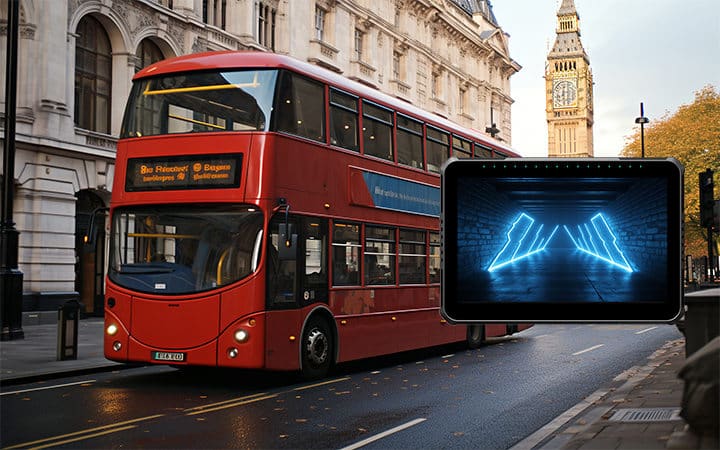
This guide compares the mobile data terminal by sector: bus, fire and utility fleets. A mobile data terminal (MDT) does the same basic job in a transit bus, a fire apparatus and a municipal utility truck — it connects the vehicle and driver to a dispatch system — but the hardware and workflow requirements diverge sharply once you look past that shared definition. CF-Device builds the VCM series of rugged vehicle-mount terminals that serve all three sectors, and the differences between them are less about the tablet itself and more about what has to be bolted onto it.
TL;DR
- An MDT is a fixed, vehicle-mounted computer for two-way dispatch communication — the definition doesn’t change by sector, but the interfaces around it do
- Bus and transit MDTs prioritize passenger-facing displays, farebox and AVL integration, and driver distraction limits
- Fire and emergency fleets need CAD integration, mapping that survives glove operation, and power that stays clean through high-current apparatus draws
- Utility and municipal fleets need the most CAN and I/O flexibility, since they integrate with plows, sprayers and lift equipment rather than just reporting position
- CF-Device’s VCM terminals use wide-voltage DC input (5–36V or 9–36V by model), IP65–IP67 sealing by model and an Android or Debian-based Linux platform across all three sectors, with the sector-specific difference handled in interface configuration, not a different product line
I. Mobile Data Terminal by Sector: Introduction
Our guide to mobile data terminals in fleet logistics covers what an MDT is and why fleets adopt one in the first place. This piece picks up from there and answers a narrower, more practical question: once a fleet has decided it needs an MDT, what changes depending on whether that fleet is running buses, fire apparatus, or utility trucks? The short answer is that the certification baseline is identical and the interface configuration is not.
II. Bus Mobile Data Terminal: Passenger-Facing Constraints
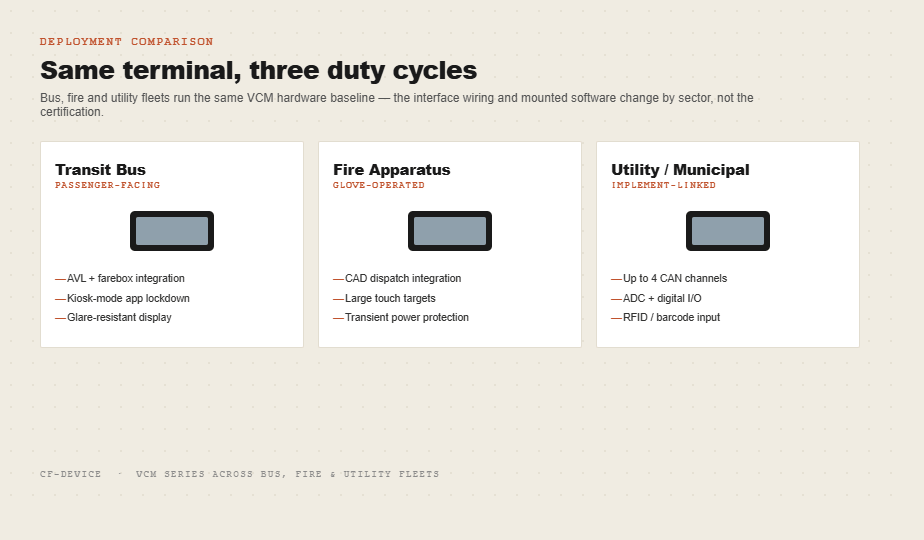
A bus mobile data terminal carries a workload no other sector’s MDT has to deal with: it operates in view of passengers, not just the driver. That changes three things. First, the driver-facing screen has to stay legible and distraction-limited while the vehicle is moving, which is why transit deployments lean on kiosk mode and app whitelisting to keep the terminal locked to the dispatch and farebox applications the route requires — nothing else is reachable from the driver’s seat. Second, the terminal has to integrate with automatic vehicle location (AVL) feeds and, in many systems, farebox or automatic passenger counting hardware over the same CAN or serial bus the terminal already uses for engine data. Third, because a transit MDT is mounted where riders can see it, cosmetic durability — a display that doesn’t yellow or crack under years of sun through the windshield — matters as much as the ingress rating.
CF-Device’s VCM terminals are specified for public transit fleets on this basis; the mounting, display options and AVM 360° camera integration relevant to bus operators specifically are covered in our guide to rugged tablets for public transit and bus fleets.
III. Mobile Data Terminal in Firefighting: Speed and Glove Operation
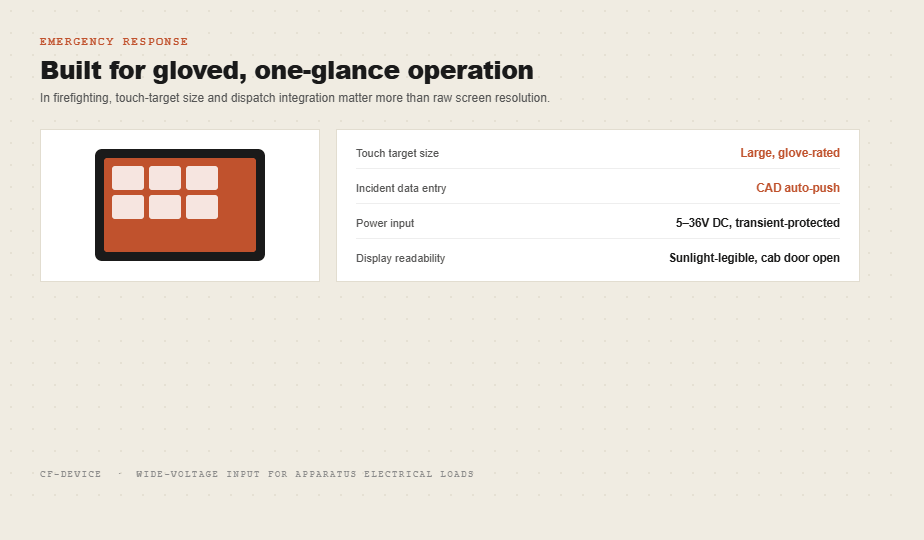
A mobile data terminal in firefighting is judged on how fast it gets a crew from dispatch to an address, and on whether it can be operated with turnout gloves on. That pushes the hardware spec in a specific direction: larger touch targets, CAD (computer-aided dispatch) integration that pushes incident data to the screen automatically rather than requiring manual entry, and a display bright enough to read at midday with the cab door open. For glove use, two models are worth looking at: the VCM V8 PRO, whose eight programmable function keys are designed for gloved, eyes-free operation, and the VCM M10, whose keys are laid out for gloved use. Power quality matters more here than in most sectors — apparatus electrical systems see large current draws when pumps, ladders or lighting activate, and a terminal without wide-voltage input and transient protection can reboot at the exact moment a crew needs the address on screen.
CF-Device’s VCM terminals use wide-voltage DC input (5–36V or 9–36V by model) for this kind of electrical environment; reverse-polarity and over-voltage protection are listed per model, so confirm them on the datasheet of the unit you specify.
IV. Utility and Municipal Fleets: The Widest Interface Requirement
Utility and municipal fleets — plow trucks, refuse haulers, line crews — put the heaviest interface demand on an MDT of any sector, because the terminal isn’t just reporting position; it’s often controlling or monitoring an implement. A plow truck’s MDT may need to read hydraulic pressure over CAN, a bucket truck’s may need to log boom angle, and a refuse hauler’s may need to take RFID or barcode readings from an external reader over a serial port for container tracking. This is the sector where CAN bus channel count, ADC input for analog sensors, and digital I/O for equipment interlocks become the deciding spec for a utility fleet mobile data terminal, more than screen size or camera count.
CF-Device’s higher-configuration VCM models carry up to four CAN channels and multiple digital I/O lines for exactly this reason; how those interfaces map to specific municipal use cases is covered in our municipal fleet and waste management route tracking guide. Cold chain and logistics fleets, which sit closer to the freight side of “utility” work, have their own version of this same interface-first selection logic, covered separately in our cold chain logistics terminal guide.
V. The Hardware Baseline That Doesn’t Change by Sector
Underneath the sector-specific interface work, a mobile data terminal computer built for vehicle mounting needs the same baseline regardless of what it’s bolted to: an IP65 or higher ingress rating, a wide-voltage DC input rather than a USB charger, third-party tested vibration and shock tolerance, and an operating range that covers both a fire apparatus bay in summer and a plow truck cab in winter. This is the specification logic our rugged vehicle tablet hardware buyer’s guide walks through in full, and it applies to every sector covered in this article before any sector-specific interface is added. How specific mounted terminals and rugged tablets measure up against that baseline, brand by brand, is set out in the best mobile data terminals for fleets.
VI. MDT Definition and Software: Where to Read More
The short version: an MDT is a fixed vehicle-mounted computer that runs dispatch, mapping and reporting applications and communicates back to a central system. The definition, the meaning of the abbreviation and the two software layers (the driver’s application and the device layer underneath it) are explained in what is a mobile data terminal. CF-Device’s VCM terminals run Android or Debian-based Linux (the version depends on the model), so the same hardware supports whichever CAD or fleet software a given agency has already standardized on.
VII. Which Guide Should I Read Next?
This guide belongs to the applications hub and the Rugged Vehicle Tablet Complete Guide. Pick the next one by the question you still have open:
| If your question is… | Read |
|---|---|
| I run trucks and need the in-cab specification | Truck computer: choosing an in-cab terminal |
| Which terminals are on the market? | 10 best mobile data terminals for fleets |
| What does fleet management add? | Fleet management: one terminal, full visibility |
| Where do these sectors sit among all industries? | Top use cases for rugged vehicle tablets |
Other Names for the Same Question
Searches for a bus MDT, a fire truck MDT or a utility fleet MDT all mean the comparison in this guide: the same terminal class, configured differently for each sector.
VIII. Frequently Asked Questions
Is a bus MDT different hardware from a fire or utility MDT?
Usually not a different product — the same rugged terminal platform is configured differently. The certification baseline (IP rating, wide-voltage input, shock and vibration tolerance) stays constant; what changes is which interfaces are wired and which software runs on top.
Can one MDT support both CAD dispatch and fleet tracking software?
Yes, provided the terminal has enough compute and interface headroom to run both concurrently, which is why interface count matters more than raw processor speed when specifying one.
Why do utility fleets need more CAN channels than transit fleets?
Because a utility MDT frequently reads data from an attached implement — a plow, a boom, a spreader — in addition to the vehicle’s own network, while a transit MDT typically only needs the bus’s own engine and AVL data on a single channel.
Which CF-Device model fits a mixed fleet running more than one of these sectors?
The VCM S10-2 PRO’s four-CAN-channel configuration and its optional radio module make it the most flexible starting point for an operator running utility and emergency-response vehicles side by side; transit-only fleets are typically better served by the VCM V10-2 or VCM S10-2 where the extra CAN channels and the radio are not needed.
Whichever sector a fleet operates in, the terminal still needs OS updates, app lock-down, and remote diagnostics independent of whatever fleet platform app runs on it — covered in our MDM for fleet platforms guide.
Long-haul trucking sits alongside these sectors with one requirement the others do not carry — hours-of-service logging on the same terminal. What that adds to the specification is covered in what truck fleets should specify in a tablet for ELD logs.
Interested in specs or a quote for your fleet’s sector-specific configuration? Contact our team to discuss which VCM terminal fits your deployment.