

A mobile data terminal (MDT) is a computer fixed in a vehicle that connects the vehicle and its driver to a dispatch or fleet system in both directions: it sends position, machine data and job status out, and receives assignments, routes and messages back. CF-Device builds mobile data terminals as the VCM range. An MDT is not just a screen; it is the interface between the vehicle and every system tracking it.
TL;DR
- An MDT is the vehicle-mounted terminal that joins dispatch, GNSS tracking and vehicle diagnostics in one interface
- Unlike a simple GPS tracker, an MDT is interactive: the driver or operator uses the software on it
- Modern MDTs run several integrated functions rather than one single-purpose task
- Rugged certification is what separates a fleet-grade MDT from a repurposed consumer tablet
- MDT, mobile data terminal, MDT device and vehicle data terminal all describe the same class of product
What Is a Mobile Data Terminal? MDT Meaning and Forms
Searches for what is a mobile data terminal usually want two answers: what the abbreviation stands for, and whether an MDT is a computer, a tablet or something else. MDT stands for mobile data terminal. An MDT computer, an MDT device and a vehicle data terminal are the same thing: a computer fixed in a vehicle that sends data out and receives dispatch information back.
The physical form varies, and the form changes the purchase. A purpose-built mounted terminal is one housing bolted into the cab. A mobile data terminal tablet is a rugged tablet used in a vehicle dock and removed when needed. A third group is laptops and navigation units sold under the same label. CF-Device builds the first form as the VCM range; the three classes are compared model by model in the best mobile data terminals for fleets.
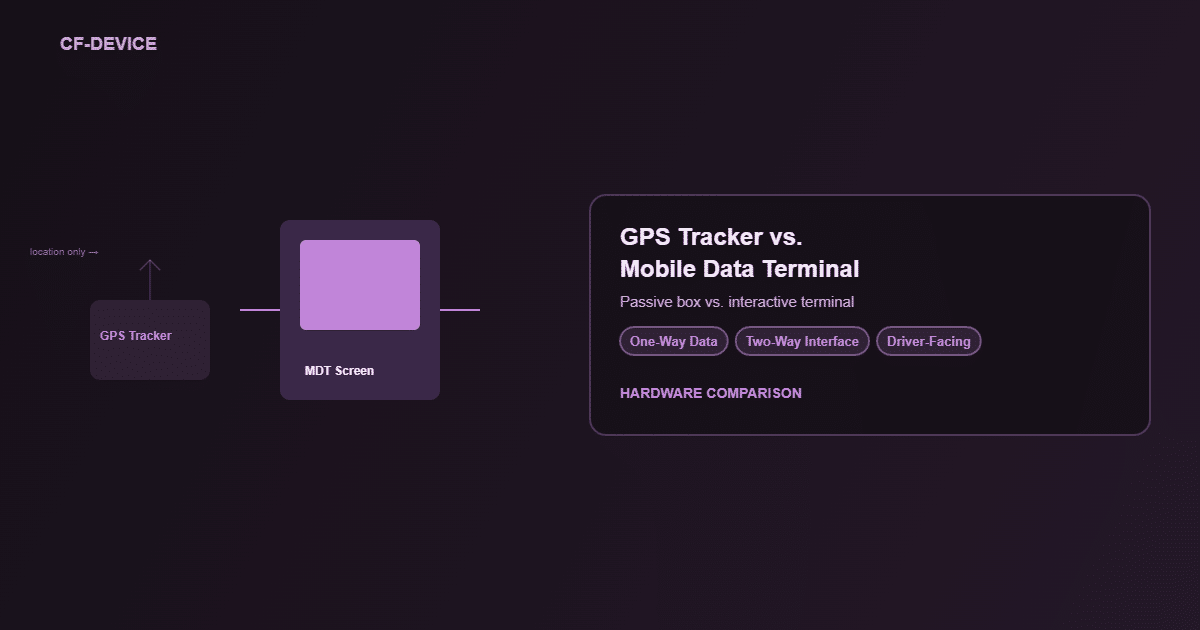
MDT vs. GPS Tracker: The Core Distinction
| GPS tracker | Mobile data terminal | |
|---|---|---|
| Operator interaction | None; passive device | Active; driver runs dispatch and navigation software |
| Display | Usually none | Built-in screen |
| Data flow | One-way (location only) | Two-way (dispatch, forms, diagnostics) |
| Additional functions | None | DMS, CAN bus, ISOBUS VT possible by model |
| Typical install | Hidden, out of sight | Mounted in the driver’s line of sight |
Which one a vehicle needs is worked through asset by asset in fleet tracking hardware: GPS trackers vs vehicle terminals and GPS tracking for fleet vehicles.
Why Do “MDT” and “Rugged Vehicle Tablet” Increasingly Mean the Same Thing?
Modern MDTs have absorbed functions that used to need separate hardware, the same convergence covered in Fleet GPS Tracking Hardware, where positioning, diagnostics and driver interaction consolidate onto one rugged terminal instead of a single-purpose tracking box. A decade ago “MDT” typically meant a basic text-messaging dispatch unit; today the term overlaps almost completely with a rugged vehicle tablet running several integrated systems. How the unit relates to other “onboard computer” forms is in what is an onboard computer.
Mobile Data Terminal Software: What Does a Modern MDT Run?
Mobile data terminal software comes in layers, and it helps to know which layer you are buying. The application layer is what the driver sees: dispatch and job lists, navigation, forms and proof of delivery, messaging. That software usually comes from a fleet or dispatch platform, not from the hardware maker. The device layer sits underneath: the operating system (Android or Linux on the VCM range), kiosk lock-down and remote management, which keep every terminal updated and locked to the approved app. CF-Device supplies the hardware and that device layer, and the application layer is the platform you already use, as covered in rugged tablets compatible with fleet management platforms.
Beyond dispatch and navigation, current MDTs commonly run DMS driver monitoring for safety compliance, CAN-bus vehicle diagnostics and, for agricultural or construction equipment, ISOBUS VT implement control, all through the interface the operator already uses for dispatch. Which functions a given unit supports depends on the model; how they share one terminal is in One Tablet, Four Systems. What the software side looks like is in MDM for fleet tablets.
Mobile Data Terminal Installation: What Has to Be Planned?
A mounted terminal is installed, not just carried in. Plan four things before the first vehicle: the mount, rated to the same vibration standard as the unit; the power feed from the vehicle with ignition sense, so the terminal wakes with the engine and shuts down cleanly; the cable runs for antennas and any cameras; and the cab sightline, so the screen does not block a mirror. Voltage range and interfaces differ by model, so check them before ordering. The in-cab specification sequence is in truck computer: choosing an in-cab terminal for fleets, and screen fit in how to choose the right tablet screen size.
Mobile Data Terminals by Sector: Buses, Fire, Utility and Logistics
The same terminal class serves very different operators. Public transport leans on passenger safety and schedule adherence, emergency services on dispatch and status messaging, utilities on job forms and asset data, and logistics on routing and proof of delivery. Each sector’s requirements are set out in mobile data terminal by sector: bus, fire and utility fleets, with logistics in rugged terminals for logistics and transportation.
MDTs in Multi-Vehicle Fleet Operations
A single MDT’s value multiplies once it is deployed fleet-wide and reporting into a central operations view, the same consolidated visibility covered in Fleet Management: One Terminal, Full Operational Visibility. At fleet scale the question shifts from what one MDT does to how consistently every MDT reports the same data types, which is why standardising on one hardware platform matters more than picking the most feature-rich unit for a pilot vehicle.
A Deployment Example
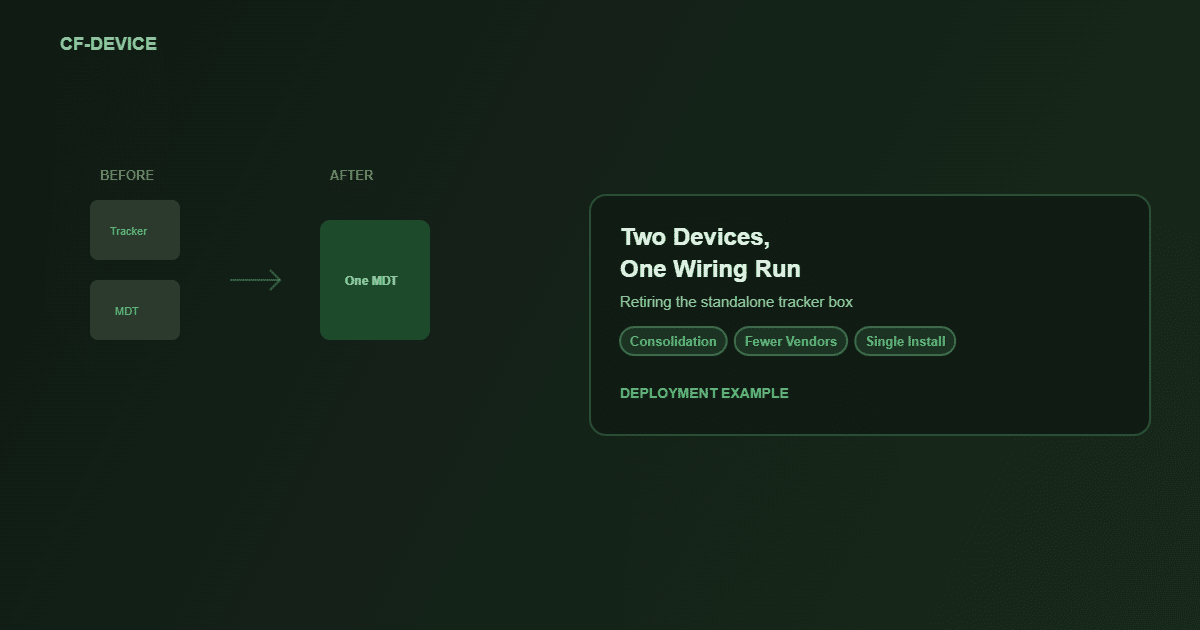
A regional courier service originally deployed basic MDTs for dispatch and proof of delivery only, while location tracking ran on a separate aftermarket GPS box. When the fleet moved to integrated MDTs with built-in GNSS, the standalone trackers were retired: one device now handled dispatch, positioning and driver hours-of-service logging, cutting the vendor relationships and wiring runs per vehicle from two to one. This is an illustrative scenario rather than a customer case study.
What an MDT Does Not Replace
An MDT consolidates hardware, not judgement. It does not replace the dispatcher reviewing exception reports, the safety manager acting on DMS alerts, or a maintenance schedule built around CAN-bus flags. The terminal produces data faster and more completely than manual processes, but someone in operations still has to act on it. Fleets that expect the hardware alone to fix a process gap are usually disappointed.
Why Does Rugged Certification Matter for an MDT?
An MDT sits in continuous view and use inside the cab. Vibration, temperature swings and years of daily handling make consumer tablets a poor fit however good the dispatch software is. The certification baseline in Rugged Vehicle Tablet: The Complete Guide applies directly to MDT selection, and the numbers to check are in the rugged vehicle tablet buyer’s guide.
Other Names for the Same Question
People who search for what is mobile data terminal usually want a one-line answer: a fixed, vehicle-mounted computer that exchanges dispatch and job data with the office in both directions. The same question appears as mobile data terminal definition, mobile data terminals (plural), mobile data terminal device, MDT mobile and MDT meaning in logistics. They all point to one product class: in logistics, an MDT is the in-cab unit that carries jobs, routes and proof of delivery between the driver and the dispatcher.
Which MDT Guide Should I Read Next?
| If your question is… | Read |
|---|---|
| Which MDT models are available? | Best mobile data terminals for fleets |
| Which tablet for a truck cab? | Best tablets for truck drivers, Truck computer |
| MDT or tracker? | GPS trackers vs vehicle terminals |
| Does my MDT work with Samsara or Geotab? | Compatible fleet management platforms |
| How do I manage hundreds of MDTs? | Mobile device management hub |
| What about ELD and hours of service? | Best tablet for ELD logs |
This article belongs to the fleet tracking and logistics hub. For the broader range, see the Rugged Vehicle Tablet Complete Guide.
Common Questions
What is a mobile data terminal, in one sentence?
A mobile data terminal is a fixed, vehicle-mounted computer that connects a vehicle and its driver to a dispatch or fleet system in both directions, sending position, machine data and job status out and receiving assignments, routes and messages back. CF-Device builds MDTs as the VCM range, sealed to IP65–IP67; supply voltage and operating temperature range are set per model.
What software runs on a mobile data terminal?
Mobile data terminal software has two layers. The application layer is the dispatch, navigation, forms and messaging the driver uses, normally supplied by your fleet or dispatch platform. The device layer is the operating system, kiosk lock-down and remote management underneath it. CF-Device supplies the hardware and device layer; some models also list AVM 360°, DMS or ISOBUS VT, so check the datasheet of the unit you are specifying.
What does MDT mean in logistics?
In logistics, MDT means mobile data terminal: the in-cab unit that carries jobs, routes, status updates and proof of delivery between the driver and the dispatcher, and reports the vehicle’s position back to the office.
Is every rugged vehicle tablet automatically an MDT?
Only if it is actively running interactive fleet software such as dispatch or navigation. A rugged tablet used purely for implement control, without dispatch functions, would not normally be called an MDT.
Can an MDT replace a separate GPS tracker entirely?
In most modern deployments, yes. MDT-integrated GNSS covers the same tracking function as a standalone tracker without the second device. Check the GNSS accuracy tier you need on the model page.
Do MDTs require a data plan, or can they operate offline?
Most rely on cellular connectivity for dispatch and real-time features, but can log data locally and sync when connectivity returns, which keeps basic operation going.
Do older fleets need to replace existing MDTs to add features like DMS?
It depends on the hardware generation. Some legacy MDTs lack the camera inputs or processing power for DMS or AVM, which makes a hardware refresh the practical path rather than a software-only upgrade.
Does adding more MDTs to a fleet require a bigger IT team?
Not proportionally. MDM remote management lets a small team administer many terminals from one console, so headcount does not scale with device count.
Interested in specs or a quote? Contact our team to discuss MDT deployment for your fleet.