
AVM 360 surround view is the application CF-Device runs on-device as CF AVM 360° on selected VCM terminals, addressing a structural safety problem large vehicles and heavy machinery share: the bigger the equipment, the bigger the blind spots around it. AVM (Around View Monitoring) 360° surround view exists to close that gap.
TL;DR
- Multiple wide-angle cameras stitched into a single real-time bird’s-eye view of the vehicle’s full perimeter
- Covers all four sides — not just the rear, where a standard backup camera stops
- Most valuable in construction, mining, agriculture, logistics yards, and congested fleet maneuvering
- Camera-count flexibility (four to eight AHD inputs on suitable models) matters more than a fixed configuration; CF-Device’s VCM M10 and VCM S10-2 PRO take up to 8 AHD inputs
- Best implemented as an integrated terminal function, not a bolt-on aftermarket kit
How Does AVM 360 Surround View Work?
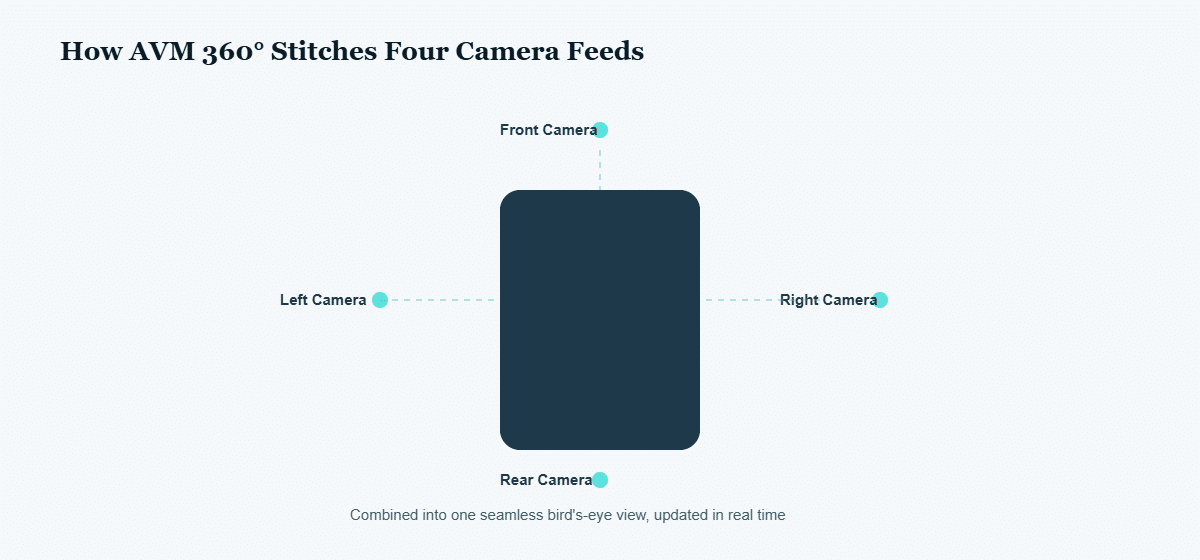
Multiple wide-angle cameras — typically mounted front, rear, and both sides — feed real-time video into the vehicle terminal. Rather than showing four separate feeds, AVM software stitches them into a single, seamless top-down (bird’s-eye) view of the vehicle’s full perimeter, updated in real time as the vehicle moves.
Why a Single Reversing Camera Isn’t Enough
A standard backup camera only covers one blind spot — directly behind the vehicle. Large trucks, excavators, and agricultural machinery have blind zones on all four sides, and many serious low-speed incidents happen at the corners a rear camera simply doesn’t cover. Full 360° stitching addresses the whole perimeter at once, not just the one direction drivers already tend to check.
Where It Matters Most
- Construction and mining sites: ground personnel and obstacles near heavy equipment
- Agriculture: implements and machinery operating in tight formation
- Logistics yards: tight maneuvering around docks, containers, and other vehicles
- Fleet vehicles: parking and low-speed maneuvering in congested areas
What to Look For in a 360° System
Camera count and combination flexibility matter — a system that only supports a fixed 4-camera layout can’t adapt to irregular vehicle shapes or existing camera placements. Look for a terminal that supports multiple AHD camera-input combinations (not just one fixed configuration) and can calibrate quickly rather than requiring a lengthy service visit.
Calibration: The Step That Determines Whether AVM 360° Is Actually Trustworthy
A stitched surround view is only as accurate as its calibration — if camera angles, mounting height, or lens distortion aren’t correctly accounted for, the resulting bird’s-eye image can show gaps or misaligned seams between camera feeds at exactly the corners where blind-spot coverage matters most. This is why calibration speed and simplicity matter as much as camera count: a system requiring a lengthy service visit every time a camera is bumped, replaced, or a vehicle is reassigned discourages operators from re-calibrating when they should, leaving a subtly wrong surround view in place. A fast, on-terminal calibration process is what keeps the system trustworthy in daily operation rather than a one-time installation feature that degrades unnoticed.
Which CF-Device Terminals Have Enough Camera Inputs for AVM 360?
Full four-side coverage needs at least four camera inputs, and the resolution you can run depends on the model. These are the figures from the datasheets:
| Model | Camera inputs |
|---|---|
| VCM M10 | AHD 720p×8 or 1080p×8 |
| VCM S10-2 PRO | Up to 8 AHD inputs (for example 1080P×4 + 720P×4) |
| VCM V12 PRO | 1080P×6, or 720P×8, or 720P×4 + 1080P×4 (the two decoder groups cannot be mixed freely) |
| VCM S10-2 PLUS | Up to 6 AHD inputs (1080P×2 + 1080P×4, or 720P×4 + 1080P×4) |
| VCM V12-2 | Up to 4 AHD inputs |
| VCM V7-2 | AHD 720p×4 or 1080p×2 |
| TANK V2 | AHD 720p×4 or 1080p×2 |
| VCM V10-2 | AHD ×2, expandable to 4 (the extra channels use OUTPUT3 and INPUT2) |
| VCM S10-2 | 2 or 4 analog (CVBS) inputs |
The other VCM models provide two camera inputs, and some of them are listed as analog (CVBS) rather than AHD, so they suit single-view or dual-view use rather than full four-side coverage. Check the datasheet of the specific model before planning an installation.
How CFDevice Implements AVM 360°
Several VCM-series terminals support AVM 360° with flexible camera-input configurations (from four up to eight AHD inputs depending on model, listed in the table above), letting integrators match the camera layout to the actual vehicle rather than the other way around. This is one of four integrated systems covered together in One Tablet, Four Systems, alongside DMS driver monitoring — many fleets run both on the same terminal for combined perimeter and in-cab safety coverage. Where perimeter alerting sits within a full safety programme — and what has to happen above the in-cab alert for it to change incident rates — is set out in fleet safety monitoring: the four layers. AVM 360° is especially relevant in smart warehousing and forklift/AGV operations, where tight-aisle maneuvering makes blind-spot elimination a daily safety concern. Pedestrian detection on top of the stitched view depends on on-device computing, explained in 6 TOPS NPU explained, and the forklift case is covered in the forklift safety system guide.
Other Names for the Same Question
AVM360 is a common shorthand for the same 360 camera system. Its purpose is blind spot elimination through vehicle perimeter monitoring from one stitched view.
Which Guide Should I Read Next?
This guide belongs to the software hub. Camera-input count differs by model, so confirm it against the datasheet before you plan an installation.
| If your question is… | Read |
|---|---|
| How AVM 360° runs beside the other systems | One Tablet, Four Systems |
| Driver monitoring on the same terminal | DMS driver monitoring |
| Surround view in warehouses and yards | Smart warehousing: forklifts and AGVs |
| Surround view on buses and passenger vehicles | Smart transportation: DMS and AVM 360° |
| Mining and heavy equipment | Mining: rugged terminals |
| Which hardware to specify | Rugged vehicle tablet buyer’s guide, complete guide |
Common Questions
Does AVM 360° replace individual mirrors or a rear camera?
It supplements rather than replaces them — most fleets keep mirrors and existing cameras as backup, with AVM 360° as the primary situational-awareness layer.
How many cameras does a typical AVM 360° setup need?
Most configurations use 4 cameras (front, rear, both sides) for full perimeter coverage; some terminals support up to 8 for larger or irregularly shaped vehicles.
Does AVM 360° work in low-light or nighttime conditions?
Performance depends on the camera hardware’s low-light sensitivity — check that the specific AHD cameras being paired with the terminal are rated for the lighting conditions of the deployment.
Why does calibration speed matter for AVM 360° reliability?
A slow, service-visit-only calibration process discourages re-calibrating after a camera is bumped or replaced, which can leave a subtly misaligned surround view in place unnoticed.
Which CF-Device models support AVM 360°?
According to the spec sheets, the VCM M10, S10-2, S10-2 PRO, S10-2 PLUS, V10-2, V12 PRO, V12-2, V7-2 and TANK V2 support CF AVM 360°. Camera inputs range from two or four on the S10-2 and V10-2 up to eight on the M10 and S10-2 PRO, so choose by the number of cameras your vehicle needs.
Interested in specs or a quote? Contact our team to discuss AVM 360° integration for your fleet.